


You know exactly what a click costs you. You know what your Meta campaign returns, down to the cent. And then there are your flyers, your posters, your packaging, your trade show booth: printed, handed out, never heard from again. For an advertiser, print is a black hole. Light goes in, nothing comes out.
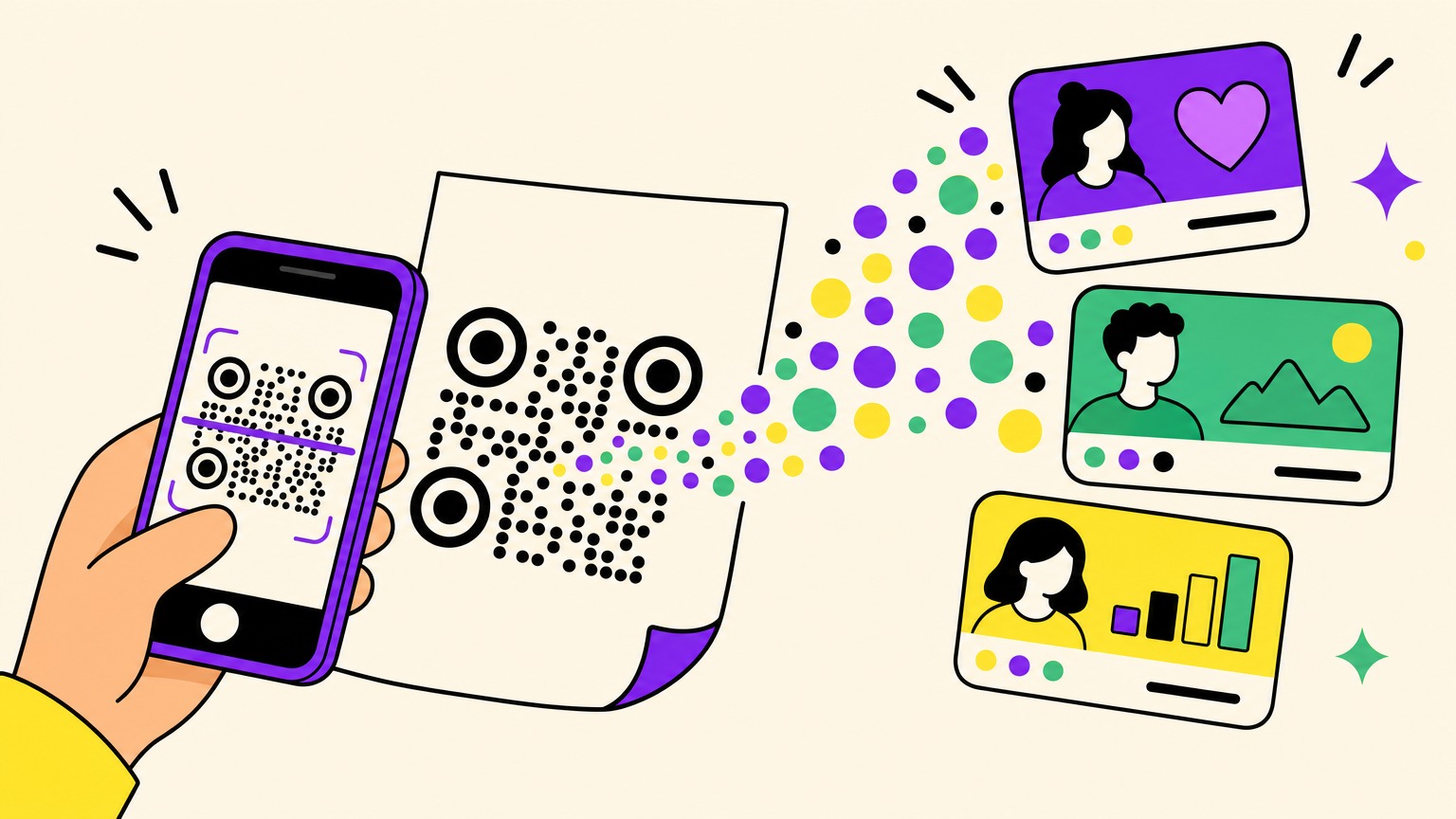
That's exactly what a pixel on a QR code fixes. The idea: a dynamic QR code that fires your tracking pixels (Meta, GA4, Google Ads) the moment it gets scanned. Every person who scans your printed material becomes a trackable visitor in your ad tools, exactly as if they had clicked one of your ads. The bridge between offline and online stops being a conference-slide metaphor. It's a checkbox.
The mechanics fit in one paragraph. The strategies they open up deserve the rest of the article.
A pixel on every scan: the mechanics
The principle is the same across QR code generators that offer the feature: on a dynamic QR code, you paste your IDs into the code's settings:
- Meta pixel: your pixel ID;
- Google Analytics 4: your
G-XXXXXXXXXXtag; - Google Ads: your
AW-XXXXXXXXXtag.
When someone scans, they see a short consent page. If they accept, your pixels fire, then they head to your destination. If they decline, they head there too. The experience is never blocked, and nobody gets tracked without agreeing (more on that below, it matters).
A bonus for attribution nerds: pair the pixel with UTM parameters added to every scan. Pixel + UTM is the full toolkit. Audiences on one side, per-placement attribution on the other.

Strategy 1: retarget the people who scanned
The most obvious play, and already the most powerful one. Your scanners flow into your Meta or Google custom audiences like any other website visitors. Which means you can run remarketing campaigns at them.
And this audience has something your web visitors will never have: physical intent. Someone who pulls out their phone to scan your poster made an actual move toward you. No video "viewed" for 0.8 seconds in a feed proves that kind of interest.
Three concrete examples:
- Restaurant: customers scan the menu, you show them next month's theme night.
- Trade show: visitors scan your booth banner, you run a B2B sequence over the following two weeks, while your booth is still fresh in their memory.
- Packaging: your buyers scan the insert, you place the cross-sell and the reorder nudge at the right moment.
Think in retention windows: an audience of "people who scanned in the last 30 days" is not worked the same way as a 180-day one.
Strategy 2: build lookalike audiences
Once your scanner audience exists, use it as a seed for lookalike audiences. Meta analyses who your scanners are and hunts down their statistical twins: people who have never crossed paths with your brand but look exactly like the ones who have.
The strength of the play is that your seed comes from the real world. These aren't visitors who wandered in from a $0.12 click. They're people who physically met your brand, in your shop, at your booth, on your packaging. Give the algorithms a seed of that quality and they feast on it.
Practical note: Meta needs a minimum of about 100 people from the same country to build a lookalike. The more scans you collect, the sharper the lookalike gets. A local business can turn its neighbourhood clientele into a national audience.
Strategy 3: warm up your pixel before your first campaign
This is the one almost nobody uses: you don't need active campaigns to run a pixel. A pixel feeds on events, not budget.
A brand-new pixel is a cold oven. Your first campaigns are what light it, and you pay full price for the algorithm's learning phase. If your QR codes have been feeding the pixel for weeks or months before launch (business cards, packaging, storefront, vehicles, point-of-sale displays), then on day one of your first campaign:
- your pixel has an event history;
- your scanner audiences already exist;
- your retargeting is actionable from the first dollar spent;
- your lookalikes have a seed ready to go.
You're not starting from zero. The oven is already hot.

Strategy 4: segment by placement, and finally measure print
One dynamic QR code per placement (one for the flyer, one for the bus-stop poster, one for the packaging, one for the booth), each with its own UTMs. Suddenly, print becomes a measurable channel:
- Messages adapt: people who scanned at a trade show aren't at the same stage as people who scanned your packaging. Talk to them differently.
- Physical media gets A/B tested: two posters, two QR codes, and you know which one drives scans, and more importantly conversions.
- Print ROI stops being a belief: media cost on one side, attributed conversions on the other. The "do our flyers even do anything" debate gets settled with a spreadsheet instead of opinions.
Strategy 5: stop paying for the already-convinced
Scanner audiences also work in reverse. Exclude scanners who already converted from your acquisition campaigns: every dollar you don't spend on someone who's already a customer is a dollar out looking for a stranger. On tight budgets, this is often the most profitable optimisation on this list.
The one real limit: consent
As soon as a pixel is configured, every scan goes through a consent page: accept tracking, or continue without it. Someone who declines still reaches the destination, but they don't enter your audiences.
That's the feature's only limitation, and it's non-negotiable: it's the law. The GDPR in Europe, and its equivalents elsewhere. No tag fires before consent.
Two things to keep it in perspective. First, your audiences will be smaller than your raw scan count, but they're clean audiences: people who explicitly said yes. Better data, not less data. Second, a refusal is still a scan: your QR generator's scan statistics (volume, countries, devices) keep measuring how each placement performs, whether the pixel was accepted or not.
Turn your print into an audience machine
Everything above fits in a checkbox, provided you have the tool. With Oh My Code, dynamic QR codes fire your Meta, GA4 and Google Ads pixels on scan, add your UTM parameters, and route the scan through a GDPR-compliant consent page. The feature ships with The Boss plan, 14-day trial included.
Your competitors print flyers and hope. You print flyers that fill your ad audiences. Create your first pixel-powered QR code and give your scans a sequel.